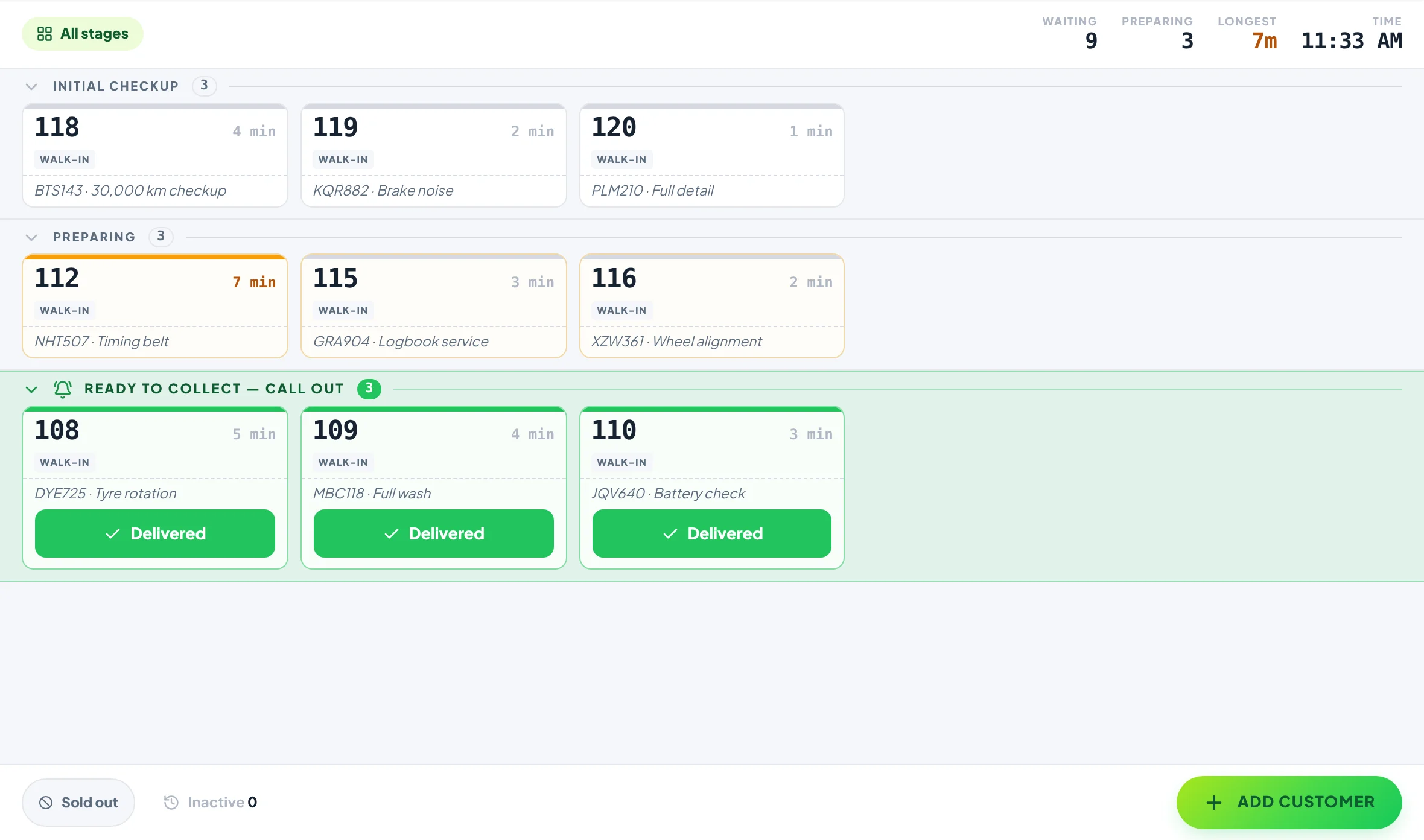
A car wash queue system that updates customers at every step.
For car washes, detailers, repair and service shops. Checked in, washing, drying, ready to collect: each step you tap shows on the customer’s phone, with a notification if they want one. They get on with their day, and your team stops answering “is it done yet?”.
Free plan, no card needed. No app for your customers.
Why customers call
Nobody calls to ask when they can already see the answer.
A customer who leaves their car has no idea whether it has been started, so they ring, or hover in the waiting area, or turn up early and wait. Every call takes someone away from the job. Show them each step as it happens and the calls stop.
Phone calls vs Yernex
Every update, sent by the tap you already make.
Calling and texting compared with Yernex
Calling and texting
Yernex
Updates
When someone has time to call
At every step, the moment it’s tapped
“Is it done yet?”
A phone call to the front desk
Answered on their phone
Ready to collect
A call that may go to voicemail
A notification and where to collect
Customer details
A phone number for every job
None needed to follow a job
In the waiting area
Ask at the desk
Their number on a screen, if you add one
Notifications reach phones that tap “Track My Order”: Android straight away, iPhone after adding the page to the Home Screen, which Yernex walks them through. The page itself always shows the latest step.
How to set it up
Your steps, your words, set up in a few minutes.
01
Name the steps of your job
Sign up free and set three to six stages, for example Initial Checkup, In Service, Ready to Collect and Collected. Write the instruction customers read at each one, like “We will call you for cost approval”.
02
Choose which steps notify
In Settings → Statuses, turn on “Send a push notification” for each step the customer should hear about. Ready to collect is on from the start.
03
Check the vehicle in
Tap Add Customer and add the vehicle, the job and a contact number as the ticket’s notes. Show the ticket’s QR code: they scan it, tap “Track My Order” and head off.
04
Tap through the job
Move the ticket on as the work moves on. Each tap updates their phone with that step’s instruction, and the last one tells them it’s ready to collect.
What everyone sees
The job, step by step, for the customer and the team.
01On their phone
Every step, as it happens.
The same ticket, one tap apart. The tracking page shows the step the job is at and what happens next, in your words, with the ticket’s notes underneath: the vehicle, the job and who to call. No app and no account.
Your own stages and the instruction for each one.
The ticket’s notes: vehicle, job and contact number.
A notification at the steps you choose, even after they switch to another app.
A sound and where to collect when it’s ready.
Add a button for your review page at the last step.
02Service Board
The front desk and the bay, on the same queue.
Check customers in at the desk and move jobs along from a tablet in the bay. Every screen updates at once, so the desk always knows where each job is.
Runs in the browser on any phone, tablet, laptop or desktop you already have.
Pair more devices by scanning a code: Free includes one extra screen, Pro as many as you like.
Every screen stays in step. If two people tap the same ticket, nobody moves it twice.
Each screen shows the view it needs, so the counter and the back room can each see their own part.
03In the waiting area
For customers who stay, a screen on the wall.
Pair a TV in the waiting area and it shows the jobs in progress and the ones ready to collect, by number.
Rename the sections, for example “In the Workshop” and “Ready to Collect”.
Numbers only: no rego, no name and no phone number on the screen.
Choose the colours to match your shop.
Add a banner for your detailing packages or this week’s offer.
QR code ordering, order tracking on the customer’s phone and “order ready” alerts. Up to 10 tickets in progress, no time limit. Customers pay a 10c convenience fee on each QR order.
Pro
$7 a month or $60 a year
Paid monthly or yearly. Adds the Now Serving screen in your colours, an Order again button, review and social buttons, and no limit on tickets or devices.
A way to keep track of the cars waiting and let each customer know where theirs is. With Yernex, every car gets a ticket, staff tap it through your steps, and the customer sees each step on their phone.
Can I name the steps after our own process?
Yes. Set three to six stages with any names, and write the message the customer sees at each one.
Do customers get a notification at every step?
At every step you turn it on for. Customers tap “Track My Order” on their ticket once; on iPhone, they add the page to their Home Screen first, and Yernex shows them how.
Do customers need to give a phone number?
No. They scan the ticket’s QR code and follow the job in their phone’s browser. No app, no account, no texts.
What kinds of shops use it?
Car washes and detailers, mechanics and tyre shops, phone and bike repair, alterations and dry cleaners: any job a customer drops off and comes back for.
Can the ticket show the car’s rego and a contact number?
Add them to the ticket’s notes, with the job. Your team sees the notes on the Service Board and the customer sees them on their tracker; the Now Serving screen shows the ticket number only.
How much does it cost?
The free plan covers up to 10 jobs in progress at a time, with no time limit. Pro removes the limit for $7 a month or $60 a year.