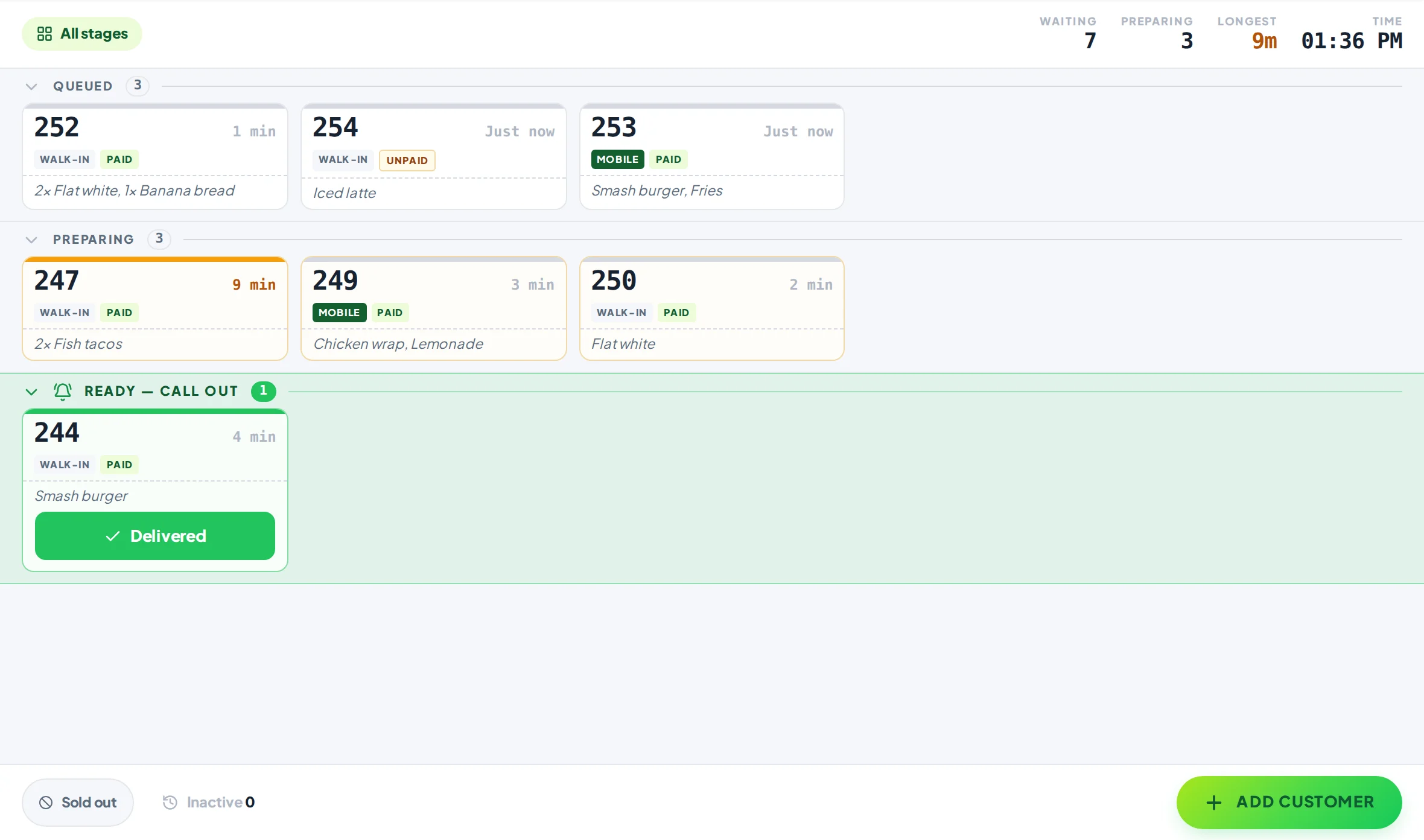
A restaurant waitlist system that lets guests wait anywhere but your doorway.
No clipboard, no table buzzers. Add each party at the host stand. They follow their place on their own phone, wander off for a drink, and hear it when their table is ready. Put the list on a screen too, for everyone at the door.
Free plan, no card needed. No pagers, no texts, no app for your guests.
The door on a busy night
A crowded doorway turns the next group away.
Guests waiting for a table block the entrance, keep asking the host how long, and give up when nobody can tell them. Let them hold their place from the bar, the street or the shop next door, and the doorway stays clear for the people walking in.
Clipboard vs Yernex
The same list, in every guest’s pocket.
Clipboard and pagers compared with Yernex
Clipboard and pagers
Yernex
Holding their place
A name on a clipboard, or a pager
A numbered ticket on their phone
“How long now?”
Asked at the host stand
Their place in line, live on their phone
Calling them back
Shout a name or buzz a pager in range
Their phone plays a sound and says where to go
Where they wait
Within earshot or pager range
Anywhere their phone has signal
For the whole room
Nothing
An optional screen with the waiting and called numbers
Kit
Pagers to buy and charge
The phone or tablet at the host stand
Guests join at the host stand today: there is no join-from-home link yet. Yernex keeps the line; it doesn’t assign tables.
How to set it up
Ready for tonight’s rush, with or without a screen.
01
Choose the Waitlist preset
Sign up free and pick Waitlist: Waiting, Table Ready and Seated. Rename the stages or the messages guests see at each one.
02
Add each party at the host stand
Tap Add Customer and add a name or note if you like. The party takes the next number of the day.
03
They scan and go
They scan the ticket’s QR code, tap “Track My Order” and wait wherever they like. Or pair a screen by the door so everyone can see the list.
04
Tap Table Ready
Their phone plays a sound and tells them to come to the host stand, and the screen shows their number. Seat them and tap Seated.
Phone, screen or both
Pick what suits your door, from one list.
01On their phone
Their place in line, wherever they wait.
The ticket shows how many parties are ahead and calls them back when their table is ready. No app, no account and no phone number to give.
Live place in line.
A sound and where to go when the table is ready.
Tap “Track My Order” to get a notification even after switching to another app.
Run the list on a tablet at the stand and pair a second device for the floor manager. Every screen shows the same list.
Runs in the browser on any phone, tablet, laptop or desktop you already have.
Pair more devices by scanning a code: Free includes one extra screen, Pro as many as you like.
Every screen stays in step. If two people tap the same ticket, nobody moves it twice.
Each screen shows the view it needs, so the counter and the back room can each see their own part.
Start free
Start free on a quiet night. Upgrade for the busy ones.
Free
$0, no card needed
QR code ordering, order tracking on the customer’s phone and “order ready” alerts. Up to 10 tickets in progress, no time limit. Customers pay a 10c convenience fee on each QR order.
Pro
$7 a month or $60 a year
Paid monthly or yearly. Adds the Now Serving screen in your colours, an Order again button, review and social buttons, and no limit on tickets or devices.
A way to keep guests’ place in line for a table without them standing at the door. Each party gets a ticket, sees how many are ahead, and is called back when their table is ready.
Do guests need to give a phone number?
No. They scan the ticket’s QR code and follow it in their phone’s browser. No app, no account, no texts.
Do I still need table buzzers?
No. Guests’ own phones play a sound when their table is ready, with no range limit and nothing to hand out, collect or charge.
Can guests join the waitlist from home?
Not yet. They join at your host stand, and can follow their place from anywhere after that.
Do I need a screen?
No. Mobile tracking works on its own, the screen works on its own, and most venues use both.
Does it tell us which table to seat them at?
No. Yernex keeps the order of the line and calls guests back. Your team still chooses the table.
How much does it cost?
The free plan covers up to 10 parties waiting at a time, with no time limit. Pro removes the limit for $7 a month or $60 a year.