Square Online QR code ordering vs the rest: which one calls your customer back?
· 7 min read · The Yernex team
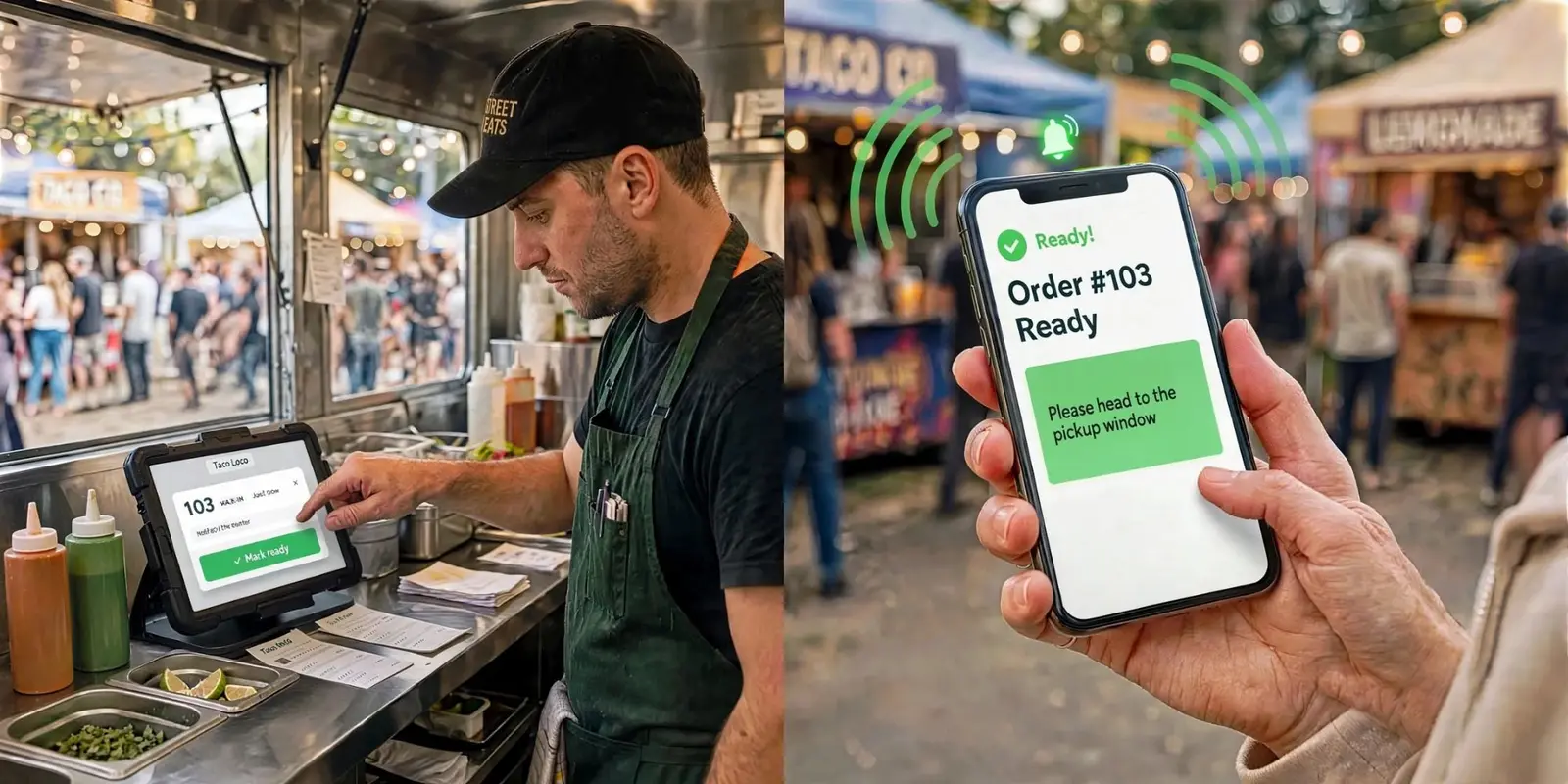
Most QR ordering for Square sellers handles the first half of the job well. A customer scans a code, picks from your menu and pays, and the order turns up on your register or kitchen screen. The second half is where it gets messy: the burger is ready, and the person who ordered it is somewhere in the crowd.
This post compares Square Online QR code ordering, the other QR ordering apps that connect to Square, and Yernex. It looks closely at that second half: how each one tells the customer their food is ready, what each one costs, and which one suits your counter.
The job doesn't end when the customer pays
Picture the Friday rush. Twelve orders come in by QR code in ten minutes, and nobody had to stand in line to place them. That's the point. But those twelve people have gone back to their table, the stall next door or their car, and their food is coming off the grill one order at a time.
Something has to get each order from your pass to the right person while it's still hot. Most counters do it one of three ways:
- Staff carry it out, which needs a table number and a spare pair of hands.
- Someone calls out a name or number and hopes it carries over the noise.
- The customer's phone tells them the moment the order is ready, with a sound.
Every QR ordering option below takes the order and the payment. Where they differ is which of these three they rely on. That decides whether your QR orders get collected hot or go cold on the pass.
Square Online QR code ordering
Square's own QR ordering is part of Square Online, its website and online ordering product. In Australia it needs a paid plan. Square's help centre says it's for Square Online Plus or Premium subscribers, and Square's Australian pricing page lists Plus from $36 a month. Online sales are processed at Square's 2.2% online rate.
What it does well:
- It's built in. The codes come from your Square Dashboard, one per table, seat or other ordering station. Orders print in your kitchen or show on your Square kitchen display. - It suits table service. Each station has its own code, so staff know where to take the food. Open tabs let a table keep ordering and pay once at the end. ## Other QR ordering apps that work with Square
Some ordering apps connect to your Square account instead of replacing it. Two you'll come across:
- me&u (formerly Mr Yum). Built around ordering and paying at the table. Square announced a direct integration with it in Australia, so orders go into your Square POS. me&u's help centre lists a platform fee on each order, from 20c on orders under $25 up to $2.90 on orders of $150 or more. Some venues absorb it and some pass it on.
- MENU TIGER. A QR menu and ordering tool that, by its own setup guide, pulls your menu from Square and sends orders back to it. Its pricing page lists a free plan for 75 orders a month and paid plans from US$17 a month. Real-time order status tracking starts on the US$46 Advanced plan. The paid plans "connect to select POS systems" without naming Square, so ask which plan you need.
Both handle the order and the payment. Neither says much publicly about how a customer who collects is told their food is ready. If your customers come to the counter, ask about that before you sign up.
Yernex: QR ordering that calls your customer back
Yernex QR ordering connects to the Square account you already have. Customers scan, order from your Square menu and pay by card, Apple Pay or Google Pay through your Square account. So far, that's much like the others. The difference is what happens after they pay.
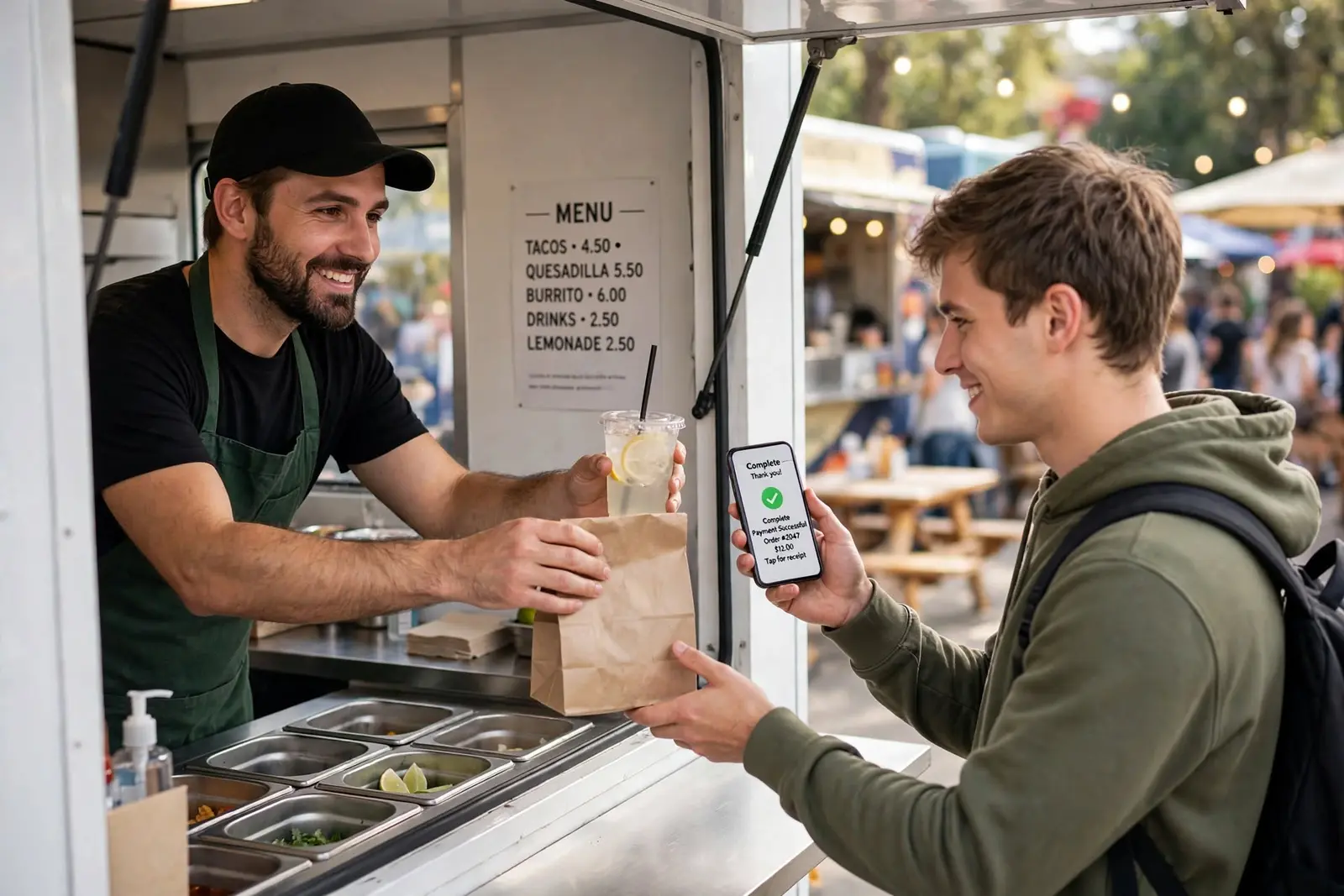
Before they order, they see the wait. The menu shows how many orders are ahead and roughly how long it'll be. Yernex works that out from how quickly your kitchen has actually been finishing orders, not from a number someone typed in once. Until it has enough orders to go on, it shows your own estimate as a range. When the wait gets past half an hour, it stops guessing and asks people to check at the counter.
While they wait, their order page stays live. It shows where their order is up to and how many are ahead of it, so they know whether there's time to grab a drink or find the kids.
The moment your team taps Ready, their phone calls them. The page plays a sound and tells them where to collect. There's nothing to install. If they allow notifications, a notification shows on their lock screen too, so the phone doesn't need to be in their hand. That works on Android, and on an iPhone once the page is added to the Home Screen.
One queue for everything. QR orders, register sales and tickets your team adds by hand all go into one list, numbered from the same sequence. The cook works from the top and never has to think about where an order came from. Square register sales become tickets automatically.
A backup for flat batteries. On Pro, a spare tablet or TV can show a Now Serving screen with Preparing and Ready numbers in big type, for the customer whose phone died an hour ago.
What it costs: QR ordering is on the Free plan. Your shop pays Yernex nothing per order. Customers pay a 10c convenience fee on each QR order, shown as its own line before they pay, and Square's usual card processing applies. The plans are on the pricing page.
Square Online, me&u, MENU TIGER and Yernex side by side
Square Online
- Cost: a Plus plan, from $36 a month in Australia, plus Square's 2.2% online rate.
- Telling the customer: built around staff taking the order to the table or station.
- Best for: table service, where staff take the food out.
me&u
- Cost: a platform fee on each order, from 20c in Australia.
- Telling the customer: built around table service, so ask how pickup works.
- Best for: pubs and venues with plenty of seating.
MENU TIGER
- Cost: free up to 75 orders a month, then paid plans from US$17 a month.
- Telling the customer: real-time order status tracking from the US$46 plan.
- Best for: a low-cost QR menu at a quieter venue.
Yernex
- Cost: QR ordering on the Free plan. Customers pay a 10c fee per QR order.
- Telling the customer: their phone plays a sound the moment staff tap Ready, with a lock-screen notification where the phone supports it.
- Best for: counters, food trucks and stalls where customers collect.
When Square Online or another app is the better pick
- You take food to tables. Square's ordering stations tell staff where each order goes, and me&u is built around table service. Yernex tells customers to come and collect. It doesn't tell your team which table to take it to.
- You want open tabs. Square Online lets a table keep ordering and pay at the end. Yernex takes payment with each order.
- You already pay for Square Online Plus. If you have it for your website anyway, QR ordering is already there to use.
- You're not on Square. Yernex QR ordering only connects to Square for now.
You don't have to pick only one, either. Keep Square Online for your website and use Yernex at the counter: your Square Online orders show up in the same Yernex queue, and can be numbered to match the customer's Square receipt.
If your customers collect their own food, the calling-back half is the part worth comparing. The setup finder asks a few questions and suggests a setup for your shop. For more on what "free" QR ordering usually hides, see what free QR code ordering actually gets you, and for trucks, QR code ordering set up for market day.
Frequently asked questions
Does Square Online have QR code ordering?
Yes. In Australia, Square Online's QR code ordering is for Square Online Plus or Premium subscribers. You make a code for each table, seat or ordering station, and orders go to your Square POS, kitchen printer or kitchen display.
How does Yernex tell a customer their order is ready?
Their phone plays a sound the moment your team taps Ready, on the order page that opened when they paid. If they allow notifications, a lock-screen notification shows too: on Android, and on an iPhone once the page is on the Home Screen.
Do customers need an app or an account to order?
No. The menu and the order page open in the phone's browser after a scan. There's nothing to install and no account to create.
Does Yernex work with my existing Square POS?
Yes. Yernex reads your items, options and prices from Square, payments go through your own Square account, and sales show in your Square reports. Your register keeps working as it does now.
Can I use Square Online and Yernex together?
Yes. Your Square Online orders become tickets in your Yernex queue, alongside your register sales and Yernex QR orders, and can be numbered to match the customer's Square receipt. Only Yernex QR orders get the order page that plays a sound when the food is ready.
Is Yernex good for table service?
Not yet. Customers can scan and order from a table, but Yernex is built for pickup: the customer's phone tells them when to come and collect. It doesn't tell your team which table to take an order to.
Prices, plans and features mentioned in this post were correct at the time of writing and may change without notice. The pricing page always shows what is current.
More from the blog